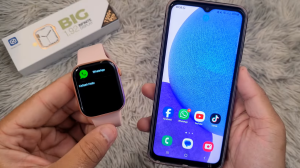
Introduction
Connecting your smartwatch to your Android phone is simple when using the **HiWatch Pro app.
Follow this step-by-step guide to pair your smartwatch correctly.

Step 1 – Download the HiWatch Pro App
First install the official HiWatch Pro application.
You can download it here:
https://hiwatch.app
Step 2 – Turn On Bluetooth
Open:
Settings → Bluetooth
Turn Bluetooth ON.
Step 3 – Open the HiWatch Pro App
Launch the app and create an account if required.
Then tap:
Add Device
Step 4 – Select Your Smartwatch
The app will scan for nearby devices.
When your watch appears:
Tap the device name
Step 5 – Confirm Pairing
Your watch will show a pairing confirmation message.
Tap:
Confirm
The device will now connect.
Step 6 – Enable Notifications
To receive notifications:
Settings → Notifications → Enable
Conclusion
Pairing your smartwatch using **HiWatch Pro only takes a few minutes.
Once connected, you can:
- track steps
- receive notifications
- monitor health data
Download the latest version here:
https://hiwatch.app